Caspa AI vs Photoroom: Which Is Better for Product Photos?
Caspa AI vs Photoroom compared for ecommerce in 2026: pricing, image quality, AI models, video and marketplace compliance, plus which tool fits your store.
On this page
If you sell online, these are the two names you keep running into: Photoroom, the hugely popular photo editing app, and Caspa AI, the platform built specifically for ecommerce product photography and video. They overlap just enough to be confusing, so this guide breaks down exactly where each one wins, what they really cost, and which one fits the way you actually work.
The short version: Photoroom is a fast, well-designed photo editor, at its best when you want to clean up images on your phone. Caspa is a product photography studio, at its best when you need a steady flow of listing images, lifestyle scenes, on-model shots and product videos that look like a professional shoot. Most sellers we support end up needing the second thing.
What Each Tool Actually Is
Photoroom started as a background remover and grew into a general-purpose AI photo editor. It is excellent at one-tap background removal, quick AI backgrounds, and batch-editing large numbers of images, with mobile apps that are genuinely pleasant to use.
Caspa AI approaches the problem from the ecommerce side. You upload a photo of your product and it generates studio-quality photos, lifestyle scenes, images with realistic AI models wearing or holding your product, infographics and A+ content, and short product videos, all from that single upload. It is web-based and aimed squarely at Amazon, Shopify, Etsy and DTC sellers.
Try Caspa AI on your own product photos
Head-to-Head Comparison
| Caspa AI | Photoroom | |
|---|---|---|
| Built for | Ecommerce product photography and video | General photo editing |
| Product videos | Yes, generated from a photo | No, images only |
| Realistic AI models wearing your product | Yes, core feature | Limited virtual model feature |
| Infographics and A+ content | Yes, built-in editor | Templates, more manual |
| Background removal and swaps | Yes | Yes, best-in-class speed |
| Batch editing large catalogs | Credits-based | Yes, strong on paid tiers |
| Mobile app | Web-based | Yes, iOS and Android |
| Free option | 10 free credits, no card required | Free tier with watermark, no commercial use |
| Paid pricing | From $39/mo (500 credits), video from $66/mo | Pro from around $7.50/mo billed annually, higher tiers for batch and better models |
| Guarantee | 30-day money-back guarantee | No equivalent guarantee |
Pricing changes, so always confirm on the official pages. The structural difference is what matters: Photoroom prices editing volume, Caspa prices finished ecommerce assets, including video.
Image Quality: Editing vs Generating
For simple jobs, cutting a product out and dropping it on a white or lightly styled background, both tools do well, and Photoroom is arguably faster on a phone.
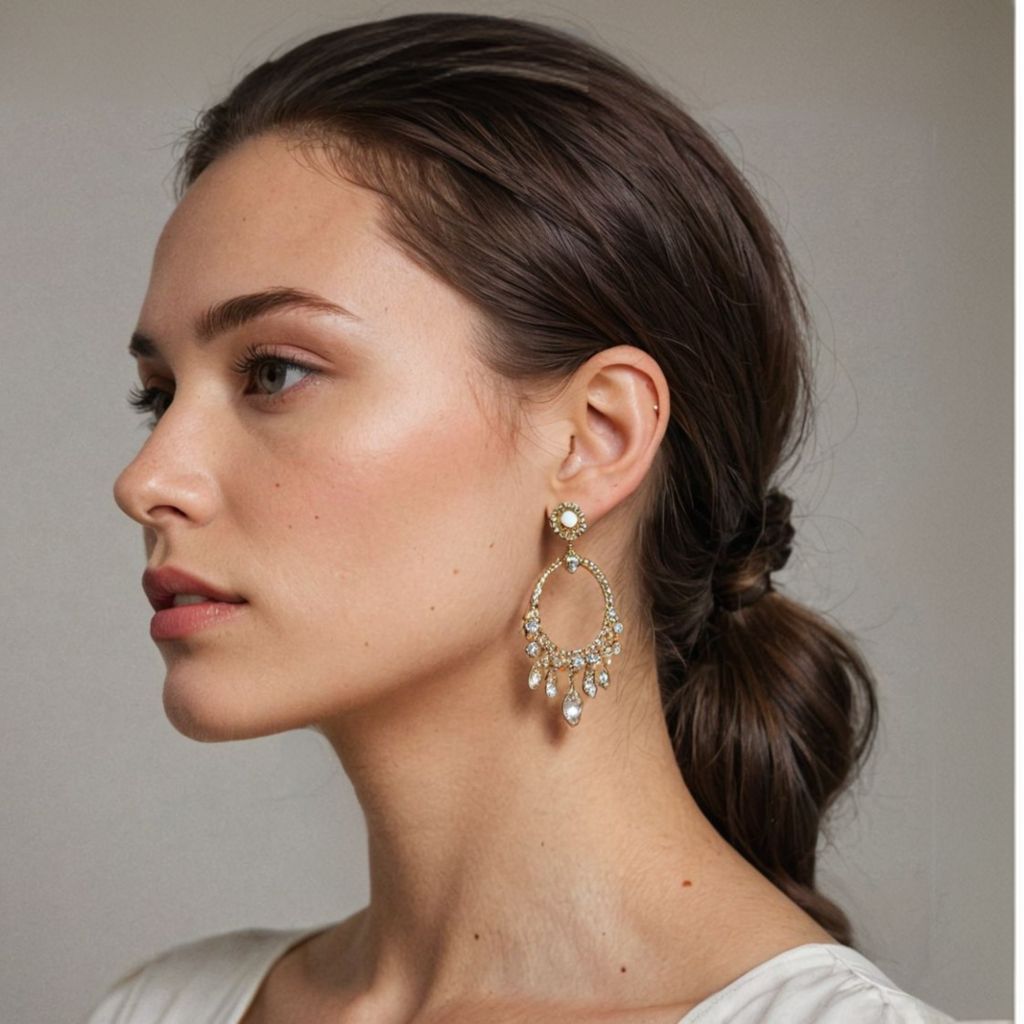
The gap opens on the images that actually lift conversion rates: your product in a believable kitchen, on a model with the right look for your brand, styled for a seasonal campaign. Editors composite your cutout onto a background, which is why shadows and reflections can look pasted-on. Caspa generates the whole scene around your product, so lighting, shadows and perspective agree with each other.
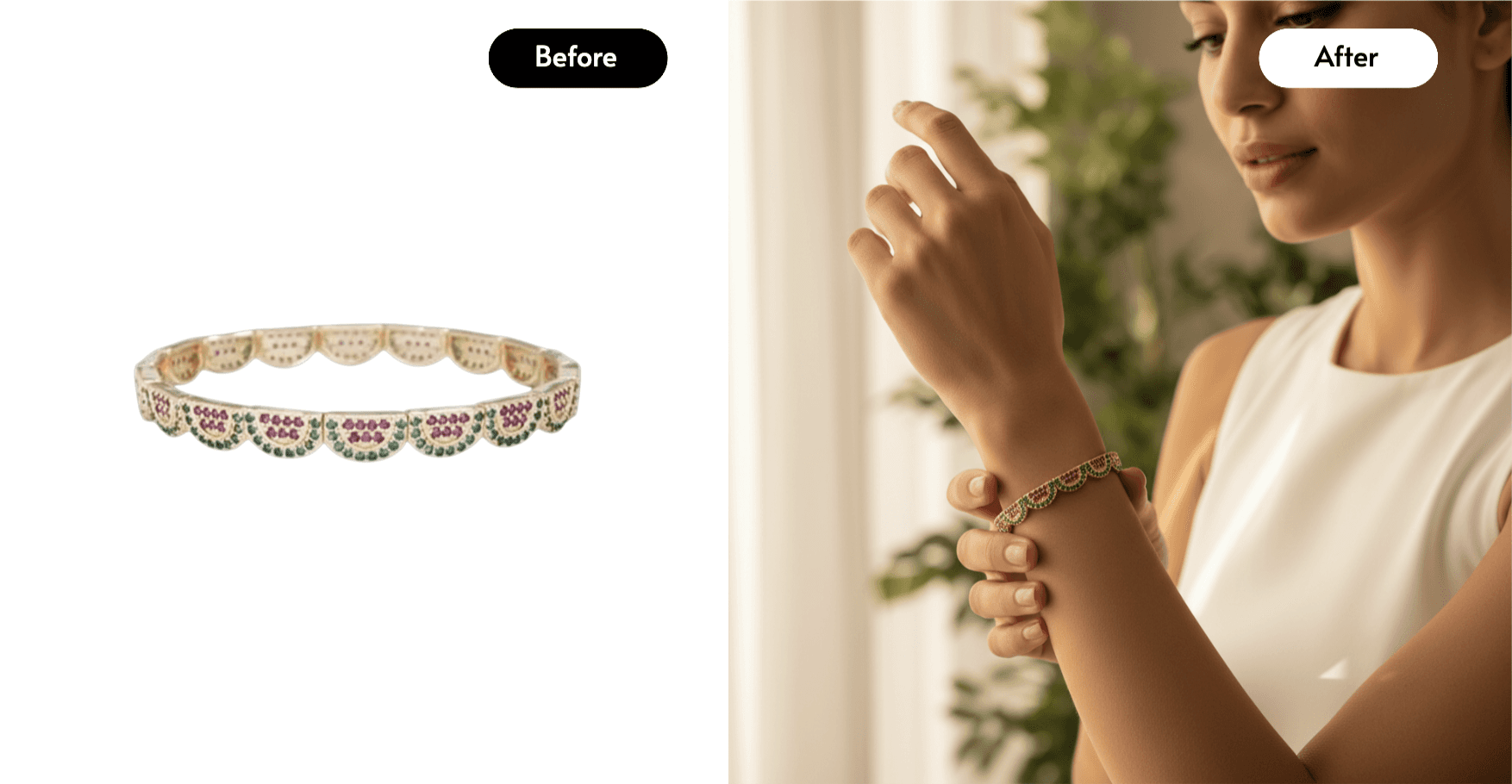
For fashion, jewellery, beauty and food, that difference is visible at a glance, and it shows up in click-through rates. We cover this in more depth in our guide to creating AI images with your products.
Video Is the Deciding Factor for Many Sellers
Short product videos now appear in Amazon listings, TikTok ads, Instagram Reels and Google Shopping. Photoroom does not make videos. Caspa generates commercial-style product videos from a single photo, which is normally a $500 to $2,000 line item per product if you shoot it traditionally. If video is anywhere on your roadmap, this alone settles the comparison. Our AI product video guide shows the full workflow.
Where Photoroom Genuinely Wins
A fair comparison has to say this clearly. Choose Photoroom if you mainly need fast background removal on mobile, you are editing hundreds of existing photos rather than creating new scenes, or your budget tops out at a few pounds a month. It is a polished, reliable editor, and its free tier is fine for personal, non-commercial experiments.
The trade-offs: watermarks and no commercial use on the free plan, no video, and lifestyle composites that can look like composites for premium product categories.
Where Caspa Wins
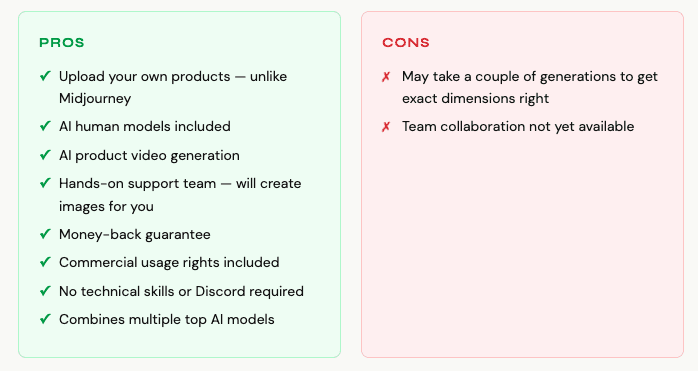
Choose Caspa if you sell physical products and need the full asset stack: marketplace-compliant white background images, lifestyle scenes, on-model photography, infographics, and video, generated from photos you take on your phone. The 10 free credits with no card, plus a 30-day money-back guarantee, make it cheap to test on your own products, which is the only benchmark that matters.
Generate your first product photos free with Caspa AI
FAQ
Is Caspa AI or Photoroom cheaper?
Photoroom’s entry price is lower. But compare cost per finished asset: one Caspa plan covers photos, on-model shots, infographics and videos that would otherwise need an editor plus a videographer plus a model. For a store producing listings and ads every month, Caspa usually works out cheaper per usable asset.
Can Photoroom make product videos?
No. Photoroom is an image tool. Caspa generates product videos from a single product photo on its Growth plan and above.
Do marketplaces accept AI product images?
Yes, provided the image accurately represents the product. Both tools can produce compliant white-background images; accuracy of the product itself is what marketplaces care about. Caspa keeps your uploaded product intact and generates the scene around it.
Can I try both for free?
Yes. Photoroom has a free tier (watermarked, non-commercial). Caspa gives every new account 10 free credits with no card required, and paid plans carry a 30-day money-back guarantee.
AI Education for All is a registered Canadian nonprofit. Caspa AI supports our free education programs, and our guides use it for worked examples; the comparison above reflects our honest assessment of both tools.
Enjoyed this guide? There's more every month.
Free AI guides, webinar invitations and volunteer opportunities, straight to your inbox.